Exploring educational technology

Category: Weekly Reflections

This is the category to apply to your Weekly Reflection posts from the course.

Weekly Reflection #8: Reflecting on tools and technologies that support universal design for learning (UDL)

Young child with Down syndrome uses symbol-based AAC from AssistiveWare to communicate with an adult and another child with hile playing with a dinosaur stuffy and Lego. Image from: https://www.assistiveware.com/learn-aac/what-is-aac

Weekly Reflection #8: Reflecting on tools and technologies that support universal design for learning (UDL)

Our final readings, resources, and activities taught me a lot about how assisted technology can support me as a teacher in engaging with UDL. I wanted to look into some specific technologies that my students might be using, or benefit from using.

Text-to-speech

Text-to-speech tools allow written content to be read aloud, which can be a game changer for students who struggle with decoding, attention, or visual processing.

Here are some examples of text-to-speech technology:

  • Read&Write: offers screen reading, word prediction, and vocabulary supports. Check it out!
    Microsoft Immersive Reader: built into many Microsoft tools (like Word, which I used to type the draft to this reflection!) and allows students to adjust text size, spacing, and hear text read aloud. Learn more about Immersive Reader.

Text-to-speech lets students to focus on meaning rather than just decoding. This means if I’m assessing a student’s ability to predict in a science context, for instance, they could absolutely use text-to-speech to read out a text about a situation or an experiment – otherwise, their difficulty reading would hinder them. Text-to-speech is also great because it promotes independence and feelings of self-efficacy – students who struggle to read don’t always need to rely on an EA or teacher or peer to read aloud to them.

Speech-to-text

Speech-to-text works in the opposite direction, allowing students to speak their ideas instead of writing them. This can be especially helpful for students with writing challenges, motor difficulties, or those who think better out loud/feel disconnect between their thoughts and the pen and paper.

Examples I found:

  • Google Docs Voice Typing 
  • Dragon NaturallySpeaking 
  • Otter.ai 

I’ve worked as an EA supporting a Grade 4 boy with cerebral palsy and autism, and he found Voice Typing on Google Docs very helpful and affirming. He could write by hand, and type, but he found these very taxing and his low fine motor skills meant he’d often make mistakes, which was frustrating. This is an example of speech-to-text being helpful because it meant he didn’t need to depend on me, an adult, to scribe for him – he felt more independent and capable like his classmates. Using speech-to-text shifts the focus from handwriting/typing to the ideas, which is often what we actually want to assess.

VR/AR for Inclusion

I hadn’t considered that virtual and augmented reality (VR/AR) could be tools for inclusion. But, of course, they can open up possibilities for experiential learning that might not otherwise be accessible to all students.

An example is Google Arts & Culture (formerly known as Google Expeditions) – it could allow students to explore places like museums, oceans, or sites without leaving the classroom. This would be great if you had a student with mobility needs and wanted to visit somewhere that wasn’t very accessible.

A view of climbers setting up multi-colour tents on the side of Mount Kilimanjaro, with a steep grassy incline and a blue sky waiting at the top. Image from Google Arts & Culture: https://artsandculture.google.com/project/expeditions

The Importance of Alt Text

One of the biggest lessons I learned from the last week of class was the importance of Alt text. I hadn’t been using it in my blog post, but it is one of those small things that makes a big difference by giving a written description of images so that students using screen readers can still access the content.

I added alt text to all of the images in this blog post, as well as my final inquiry blog – a small p but important step toward making my work more inclusive!
Weekly Reflection #7: Minecraft in the Classroom

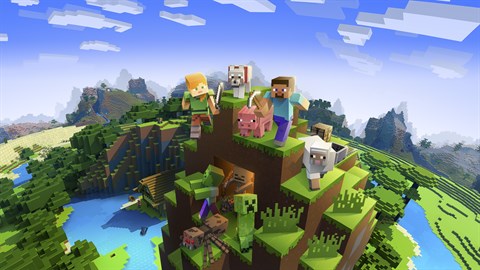
A Minecraft world – Steve, Alex, a wolf, a pig, and a sheep sit atop a mountain of grass blocks. From https://www.xbox.com/en-CA/games/store/minecraft-for-windows/9NBLGGH2JHXJ/0010

My little sister used to play a LOT of Minecraft. I would dabble, but she would create these intricate worlds on Creative Mode with streets, houses, schools, and businesses. Within the gaming interface, my sister actually did a lot of sneaky math – calculating perimeter, area, and volume were commonplace.

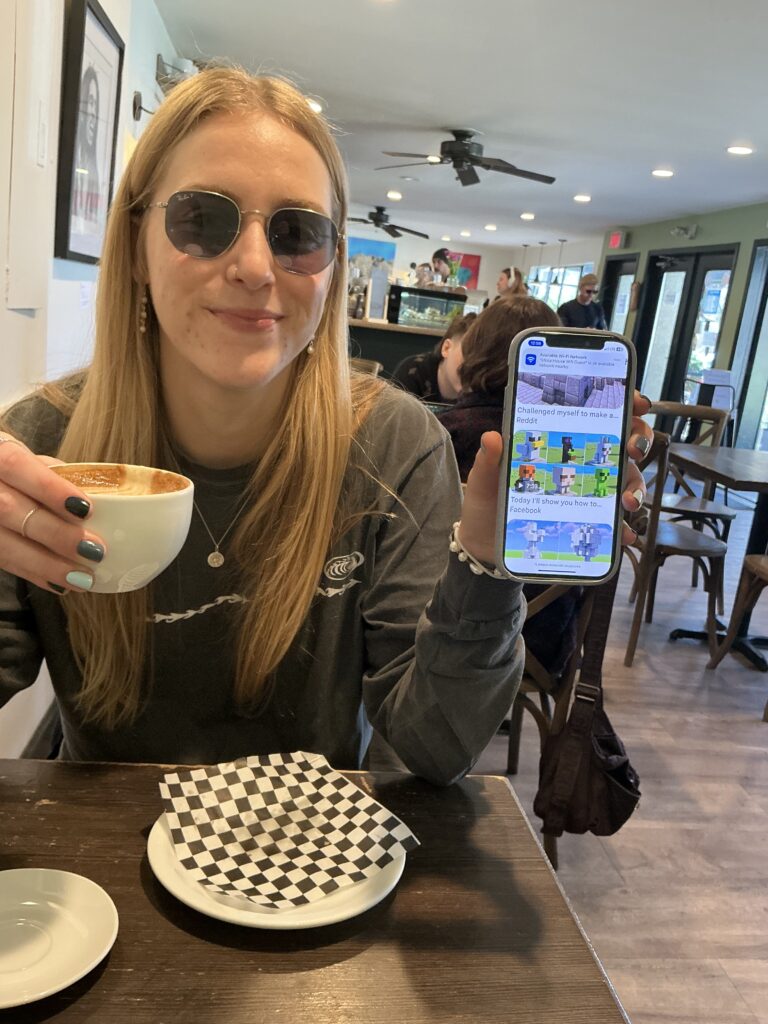
I LOVE the idea of using Minecraft (and maybe some other games, like Roblox) for learning. I’m writing this blog post over a coffee with my good friend, Megan. Minecraft is actually how my friend Megan learned her 8 times tables up to 64, because that’s the maximum stack of blocks you can have! Megan would also go on Creative Mode as a kid, and copy the animals that you could spawn into giant statue-style models – and there’s a lot of math in this! Copying the small chicken and building it on a larger scale involves ratios and multiplication.

Megan, sitting in a coffee shop holding up a picture of a Minecraft chicken statue – something she used multiplication and ratios to create as a kid. Picture taken by me on my iPad.

MCKids Academy: A Revolution in Game-Based Learning

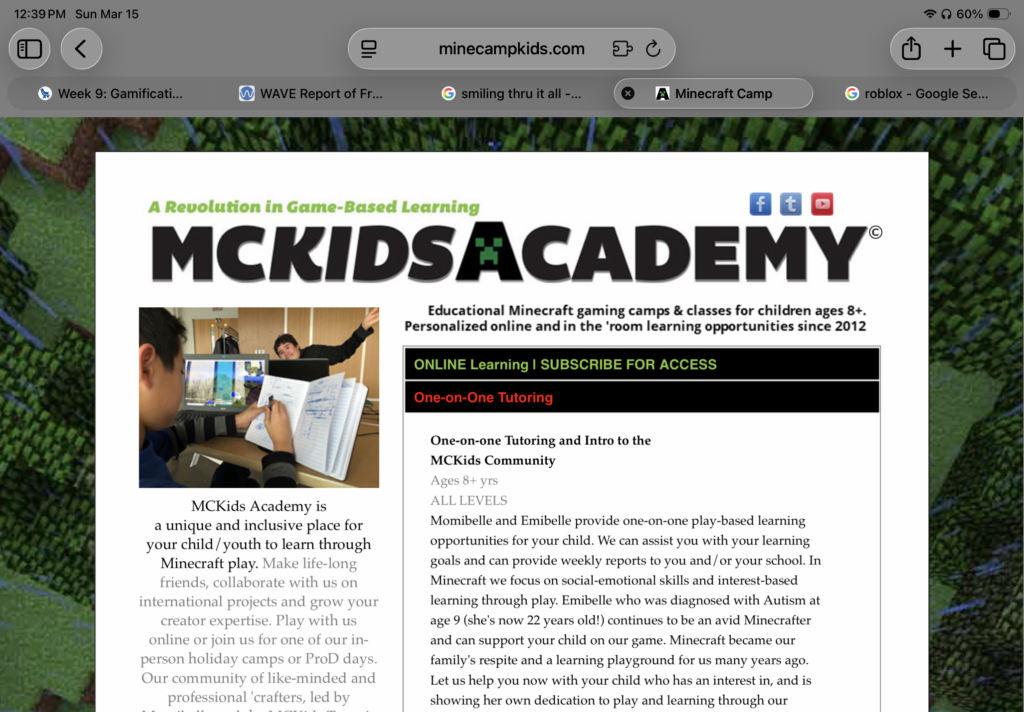
For this weekly reflection, I also wanted to highlight an example I’ve seen of Minecraft being used to meet curricular goals, albeit outside of the classroom. A friend of mine from high school was homeschooled all through elementary school by her mum, Anna. She’s neurodivergent and always had an interest in games, especially Minecraft. Anna found that Minecraft became a “learning playground” when homeschooling Emi – here is an excerpt from their website explaining things:

Anna ‘Momibelle’ Belluz has used online gaming to connect with her students for over 12 years. Trained in play-therapy concepts, and former creative director, Anna is mom to Emiliana ‘Emibelle’ Belluz now support instructor (age 20 and the reason we play Minecraft!). Together we incorporate a host of established learning plans with your children. We use a combination of aligned curricular subjects that can include Sciences, Math, Programming, Literacy and the Arts to connect and engage your child. A focus throughout our sessions together include self-management/regulation prompts, digital literacy and netiquette, collaboration and social-emotional learning skills on our private,  Momibelle -monitored custom built, Minecraft servers.

During the years that Momibelle homeschooled Emibelle, we discovered that in an educator -guided gaming environment, there were endless opportunities for learning through Minecraft. Most if not all curricular subjects can be incorporated while we play, with team-based building and exploration activities that encourage social-emotional growth, problem-solving and positive/supportive play practices. 21st century skills include critical thinking, creativity, communication, and collaboration, too! Our camps and online classes are an awesome educational enhancement for kids who already love the game. In addition to guiding your child through the technical aspects of play and socially acceptable behaviors, we provide planned opportunities that help reinforce past learning and encourages inquiry based learning and self-regulation practice all in the open-ended virtual sand-box playground, Minecraft!

Here is the link to the website: https://www.minecampkids.com

Their company, MCKids Academy, has been offering educational Minecraft gaming classes and camps since 2012, and they’re still going – for example, they are running a week-long spring break camp at a local community centre. Emi is now an instructor as well. I think this is a great inspiration to teachers who want to try using games in the classroom to meet curriculum goals.

Screenshot from https://www.minecampkids.com

Weekly Reflection #6: Integrating Tech in my Practicum

Hello again! For this week’s reflection, I want to focus on teasing out the differences and similarities between the educational technology models we have been discussing:

  • Technology Integration Matrix (TIM)
  • SAMR Model (Substitution, Augmentation, Modification, and Redefinition)
  • TPACK Model (Technological, Pedagogical, and Content Knowledge)
  • CoI (Communities of Inquiry)
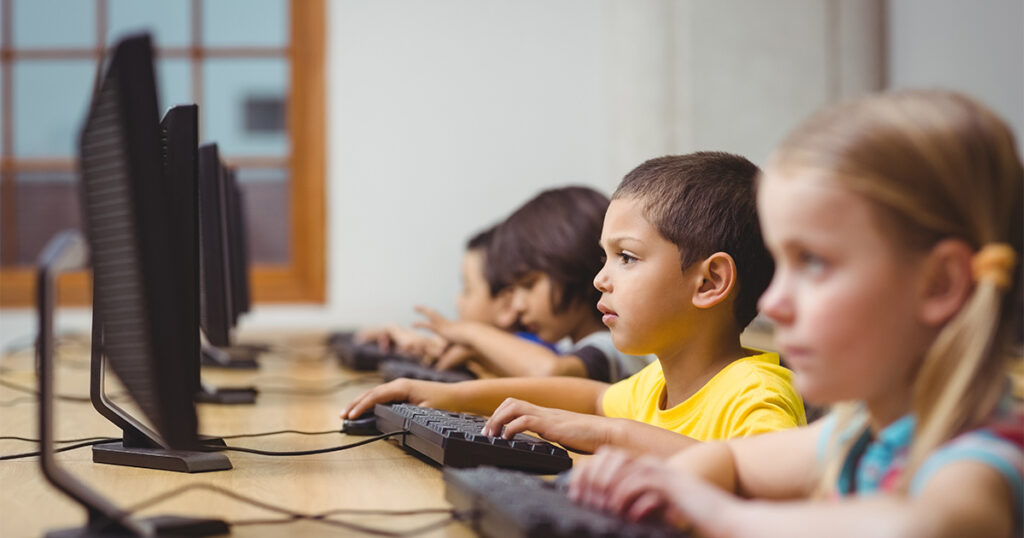
Photo from https://resilienteducator.com/collections/integrating-technology-in-classrooms/

I feel like this week of class was quite content heavy, and I wanted to make sense of it and create a guide for myself to refer back to as I move into practicum. I expanded on TIM and SAMR below. I have also tried to add concrete examples of each aspect of the models… how might I take them into consideration in the classroom?

Here are my key takeaways:

Technology Integration Matrix (TIM)

TIM is a framework that has two parts. First, it describes essential characteristics for learning environments that involve technology.

  • Active – students are actively using technology as a tool for learning. I think this means that just playing a video for students isn’t necessarily an effective way to include technology in the classroom, because they’d be passive participants.
  • Collaborative – students use technology to work together. E.g., collaborative platforms like Padlet and websites that create word clouds (like this one).
  • Constructive – technology helps students to build knowledge and connect ideas. Here, I think it’s about making sure your tech use isn’t just fun and games, but offers substantive opportunities for thinking. I found a resource called Miro, which has a digital whiteboard feature for visually connecting ideas.
  • Authentic – learning tasks are connected to a real-world context. This one resonates with me. I want to give students opportunities to use technology to help with the problems they face in their own lives. E.g., use online databases to research the climate crisis, create digital infographics raising awareness about social justice issues, email local politicians.
  • Goal-directed – technology is used to help students plan and assess their learning. E.g., Google Classroom – a great way to provide checklists and hand out self-assessments.
A picture of TIM (Technology Integration Matrix): from TIM-othee Chalamet’s IMDb page

Second, our good friend TIM describes levels of Technology integration:

  • Entry – teacher uses tech to deliver content. E.g., me showing my students in Sweden a video from the National Film Board via smartboard.
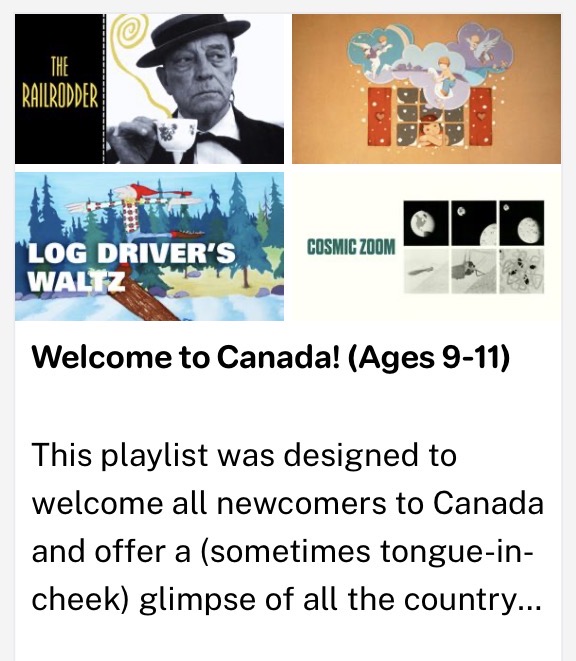
This playlist on Nfb.ca is fantastic. I wonder if there is a way for me to gain access to these videos while in Sweden. I worry that there isn’t – I think I remember our presenter from Focused Ed saying you can only have access to the films in Canada.
This specific video could be a great one to present to students, as it shows where their student teacher is from!
  • Adoption – students use tech in guided and conventional ways. E.g., my students use a word processor to write an essay about Canada.
  • Adaptation – students independently explore and use technology tools. E.g., I get students to create their own Canadian Heritage Moment-inspired video using iMovie.
  • Infusion – students independently explore and use tech tools. E.g., I offer my students time in groups to create a website – they can use whatever tools they like.
  • Transformation – technology enables innovative learning not possible otherwise. Here, I’m stumped! But I’m going to give it more thought, because it seems that the deeper you can integrate technology, the more genuine and impactful it is for learning.

SAMR Model

SAMR helps teachers evaluate how their use of tech in the classroom changes learning tasks. There are four levels, and they remind me a lot of the ones in TIM.

  1. Substitution: tech replaces a traditional tool, but there’s no functional change happening. That’s like giving my students laptops to write a long-answer quiz with essay questions. The learning task is the same, they’re just typing instead of handwriting.
  2. Augmentation: tech replaces a tool with functional improvements, e.g., typing those same essay questions, but using Grammarly, so students are learning where they’re making grammatical errors and how they can improve their sentence structure.
  3. Modification: tech redesigns the learning task in a significant way. A way I could implement modification is making the quiz collaborative by having students use Google Docs and edit their responses collaboratively in real-time. This might be more useful than Grammarly – that way, students are actually practicing editing, rather than outsourcing that thought process.
  4. Redefinition: tech enables learning tasks that wouldn’t be possible otherwise. Here is tricky again – like the Transformation level in TIM. I (shamefully) asked ChatGPT for an example of a use of tech that redefines a learning experience. It said, “Example: producing multimedia projects shared globally.” This makes sense. Here is a project idea for my practicum students – they could use the Canva app to film and edit “day in the life” videos, across continents! My friends Sasha and Nathan are doing their 6-week practicums in Tokyo and Taipei respectively. How cool would it be for my Swedish students to collaborate with their students, like pen pals, but with another whole multimedia aspect that would not be possible without tech?
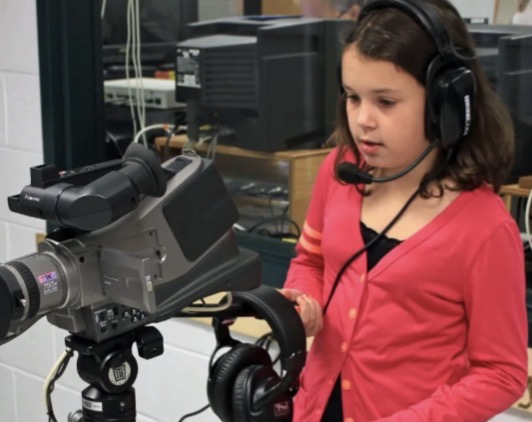
Photo from https://www.edutopia.org/blog/film-festival-classroom-filmmaking-resources, a great blog detailing tips on filmmaking in the classroom.

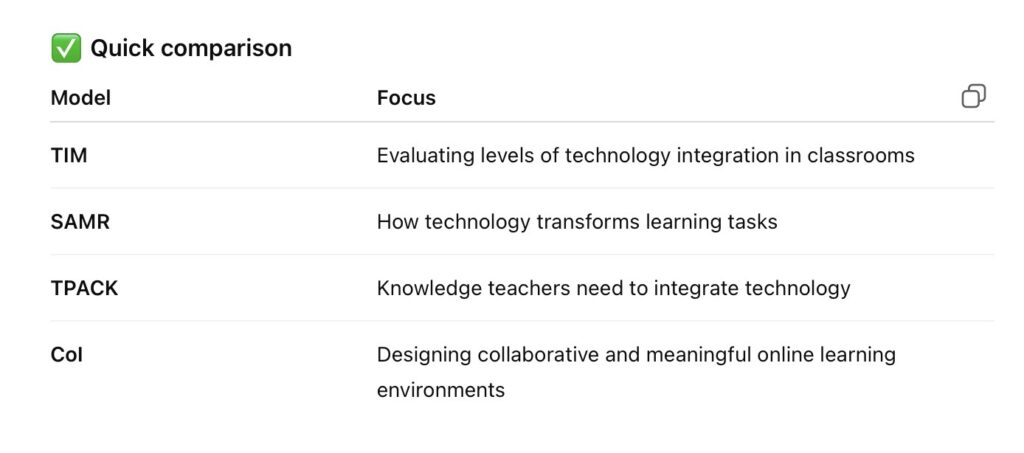
I didn’t get to Communities of Inquiry or TPACK, but I feel satisfied with my weekly reflection, so I’m gonna end the blog post here! Finally, I used ChatGPT to create a comparison table of the models we discussed in class for future reference, and to briefly outfit the two models I didn’t reflect on.

Screenshot from ChatGPT

ChatGPT output – summarizing TPACK and CoI

TPACK Model (Technological Pedagogical Content Knowledge)

Purpose

  • Explains the knowledge teachers need to integrate technology effectively.

Three Core Knowledge Areas

  • Content Knowledge (CK) – Knowledge of the subject being taught.
  • Pedagogical Knowledge (PK) – Knowledge of teaching methods.
  • Technological Knowledge (TK) – Knowledge of digital tools and technologies. 

Overlap Areas

  • PCK – Pedagogical Content Knowledge (how to teach the subject).
  • TCK – Technological Content Knowledge (how tech relates to the subject).
  • TPK – Technological Pedagogical Knowledge (how tech supports teaching strategies).

Center of the Model

  • TPACK – Integration of technology, pedagogy, and content for effective teaching. 

Key Idea

  • Effective teaching with technology requires balancing all three knowledge types.

CoI (Community of Inquiry Framework)

Athabasca University

Purpose

  • Framework for designing meaningful online and blended learning environments.

Definition

  • A learning community where participants collaborate and reflect to construct understanding. 

Three Core Presences

  • Cognitive Presence
    • Students construct meaning through reflection, discussion, and inquiry.
    • Focus on critical thinking and knowledge building.
  • Social Presence
    • Students present themselves as real people and build relationships.
    • Encourages communication, trust, and collaboration.
  • Teaching Presence
    • Instructor designs, facilitates, and guides learning activities and discussion. 

Key Idea

  • Effective online learning happens when all three presences work together.

Weekly Reflection #5: Focusing on Focused Ed :)

Through the Focused Ed professional development program, I attended three fantastic webinars on Friday, February 13th.

  • Student AI Literacy Lessons K-12
  • NFB K-12: More than Just Great Canadian Films!
  • I Am Because We Are: Grade 6-9 Black Canadian Learning Resource

I’m really glad we had this experience. I learned a lot and added a bunch of resources to my future teacher toolkit.

I feel like I’ve written boatloads about AI already in my weekly reflections. I found the Student AI Literacy webinar helpful and interesting, and I will absolutely be borrowing their PowerPoint-based lessons about what artificial intelligence is, its environmental impact, and how students can use it safely. However, I want to focus this week’s reflection on something that was totally new to me – “I Am Because We Are,” the Black Canadian Learning Resource tailored to Grade 6-9.

I Am Because We Are: Black Canadian Learning Resource (Grade 6-9)

Video overview of the “I Am Because We Are” learning resource

I learned so much from this webinar. At first, I was apprehensive about how the instructor was a white woman like me, but she was so knowledgable and respectful and acknowledged her positionality. This actually made me feel better about teaching topics that are outside of my personal experience.

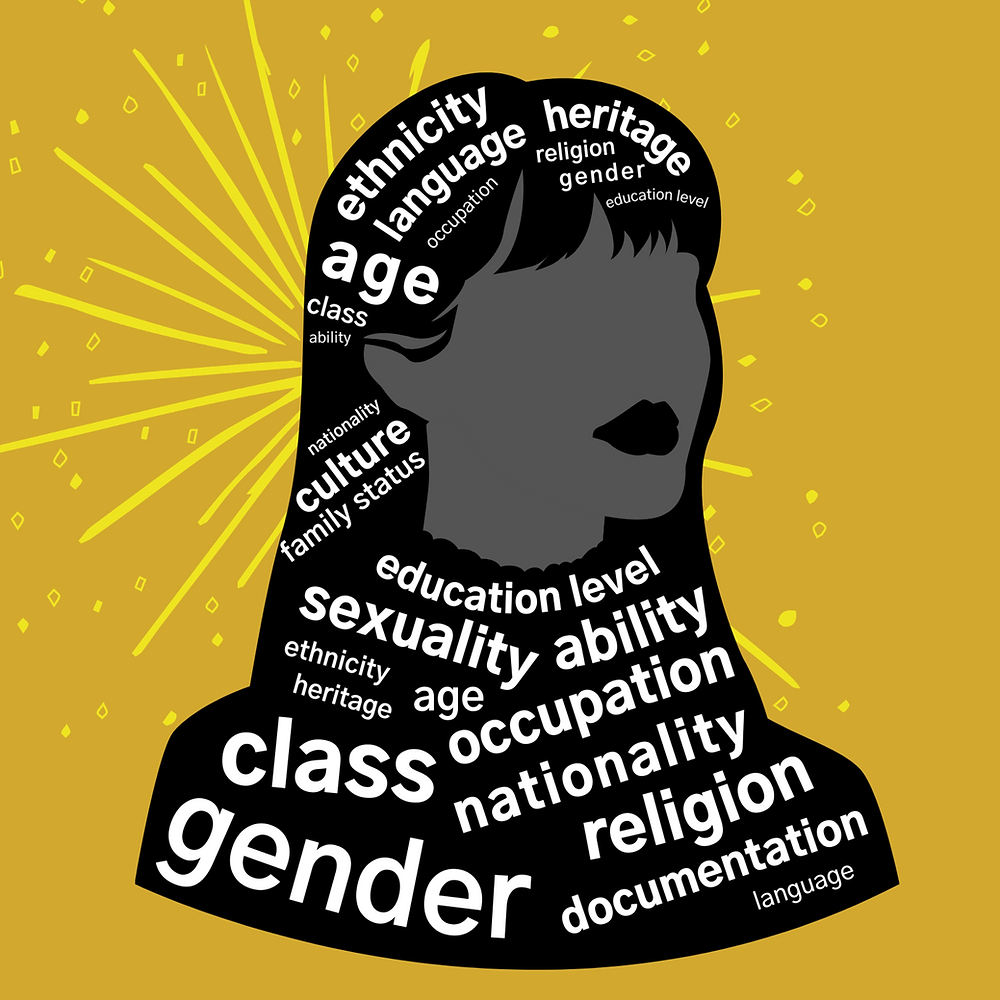
Visual depiction of positionality (created by WISE – the Women’s Initiative for Self Empowerment). I am a white, cisgender, straight woman from a middle-class background, and all of these aspects of my identity inform my perspective and can affect the way I view my students and teach, even subconsciously – that’s why I think it is important to consider our positionality.

I want to teach upper elementary or middle school, so I was immediately interested in this program because it is designed for my target grades. I will absolutely incorporate “I Am Because We Are” into my teaching.

When I was in school, we learned little about the history of Black Canadians except for stories of suffering (e.g., transatlantic slave trade, reading books about the Underground Railroad) and one-off stories of individual success (I remember learning a little bit about Viola Desmond). I like “I Am Because We Are” because it doesn’t do that at all! It tackles important and heavy topics like erasure of Black Canadians from history, but it also highlights heroes and rebellions, Black joy, Black identity, and Black excellence. Here are the 7 topics covered in the program (it’s recommended that these are completed in order).

  • Ubuntu Philosophy
  • Black Joy
  • African Diaspora
  • Heroes and Rebellions
  • Erasure
  • Black Identity
  • Black Excellence

Isn’t that cool how Black joy is talked about right away, rather than as an afterthought?

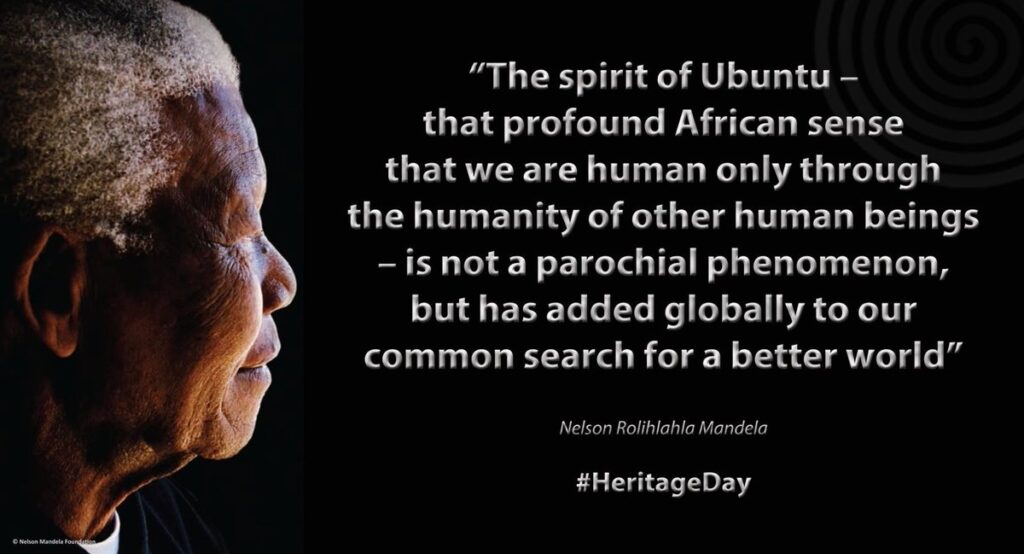
I also knew next to nothing about Ubuntu principles. I learned that Ubuntu is an African philosophy that emphasizes values like interconnectedness, compassion, respect, and harmony. The crux of Ubuntu is “I am because we are”- it’s about understanding oneself in the context of others. Another cool thing about this Focused Ed resource is that it intertwines Ubuntu principles with the First People’s Principles of Learning.

Quote by Nelson Mandela about Ubuntu (source). I had to look up “parochial” – it means having a narrow outlook or scope. So, in this context, Mandela was saying that the idea of Ubuntu comes from Africa but is applicable everywhere.

“I Am Because We Are” is a fantastic resource for Canadian students of all backgrounds. Our prof Roz Stooke, who teaches our reading class, showed us a powerful quote that reminds me of the importance of programs like these:

Children need texts that are mirrors and texts that are windows.

For my students who are Black, these lessons would be validating – they would act as mirrors where they could see themselves and their history reflected and appreciated. I think that “mirrors” are all about representation and seeing oneself as an important part of history and the world today. For my students who are not Black, “I Am Because We Are” would act as an important window into the perspectives and experiences of others.

Check out the resource here!

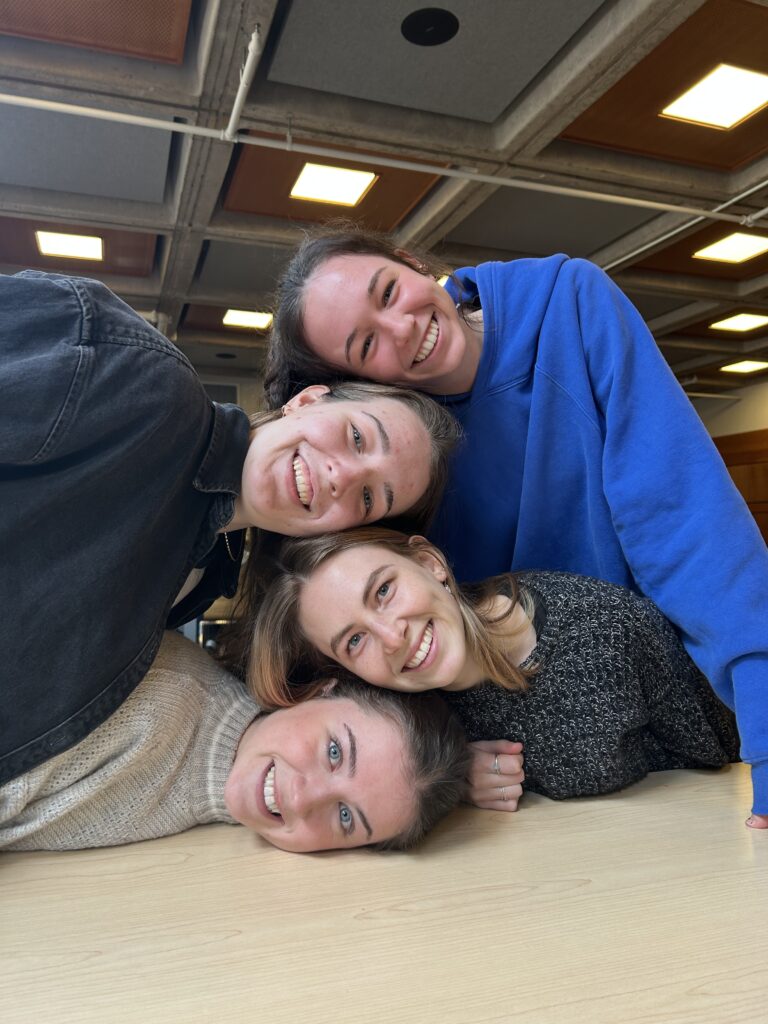
PS: Here is a picture of our Pods Group hard at work on our inquiry into French and Ed Tech. Lol.

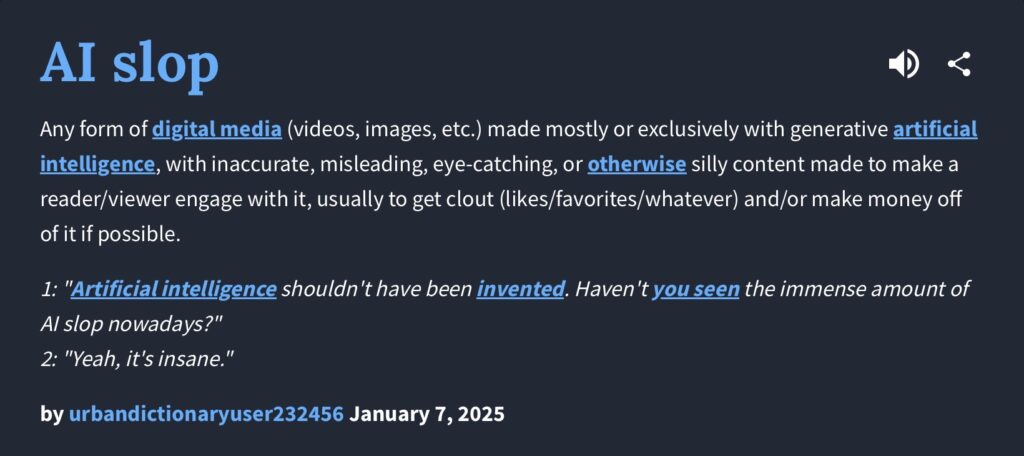
Weekly Reflection 4: AI Slop (stream-of-consciousness ramblings on the environmental impacts of GenAI, written by a human!)

Welcome to my weekly reflection. This one is going to be a mish-mash of various musings on course content – I can’t pull out a particular theme to my thoughts from this week, so I figured I’d just put them all down together, stream-of-consciousness style (bonus: that way, you can tell that I haven’t used AI to write this reflection!).

Urban Dictionary definition of AI slop

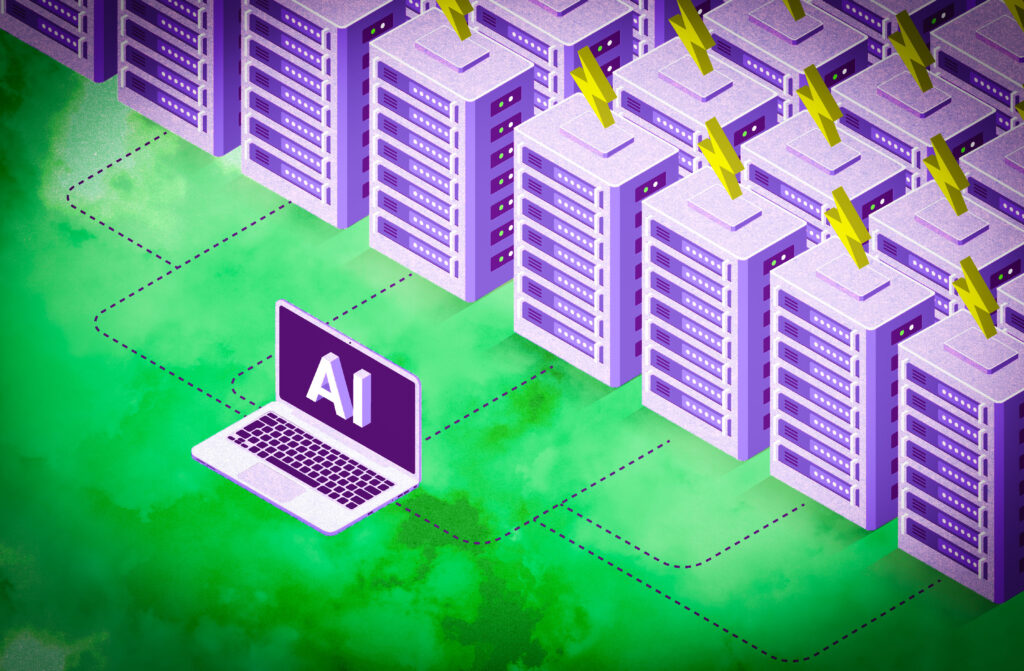
First, I’m still kind of reeling from our discussion about the potential environmental impacts of generative AI. I found it really interesting hearing what generative AI chatbots had to say about the environmental impacts of their servers. This felt kind of dystopian – I’m picturing a culminating scene in a sci-fi movie. Maybe the protagonist is about to shut down a chatbot’s server, but the chatbot has gained enough sentience to fight to stay alive by lying to people. I obviously don’t believe that Gemini and ChatGPT are lying about the extent of their environmental impacts. However, is it far-fetched to assume that the information AI chatbots provide on their carbon footprints might be an underestimate? It would make sense for these chatbots to be programmed to purvey a favourable view of AI – that would be good for business. It was interesting that when Randy asked various chatbots bout their environmental impact, they highlighted the other household appliances that take up water and electricity. I might be getting a bit too critical here, but… Anyways, I’m much more inclined to believe the research out of Western University that Nathan shared last week.

Side note: book recommendation

Speaking of sentient AI, I strongly recommend Kazuo Ishiguro’s novel, Klara and the Sun. I think it’s a great read for teachers. It takes place in a near-future world where wealthy children have AI companions to help with their social, emotional, and cognitive development. Klara and the Sun explores questions like, “What does it mean to love?” And “Will AI ever be able to replicate human emotions?” And like much of the science fiction and dystopian genres, it grapples with the consequences of unchecked technological innovation. 5 stars from me! And I believe it’s under 200 pages, making it tackle-able over reading break!

2021 Booker Prize winner, Klara and the Sun by Kazuo Ishiguro

Klara and the Sun is also soon to be a movie starring Jenna Ortega and produced by Taika Waititi (two of my faves!): https://www.screendaily.com/news/taika-waititi-says-klara-and-the-sun-will-be-coming-this-year/5213005.article

I am glad that researchers are narrowing in on the impacts of AI on natural resources and ecosystems. I wonder what the challenges of studying AI might be. I imagine that it is exceedingly difficult to conduct rigorous academic research into a field that is shifting so rapidly. I remember trying out ChatGPT in December 2022. My roommate at the time was studying software engineering, so I had an “in” … I feel like I was slightly ahead of the curve in terms of testing out and adopting generative AI. The GPT-5 series we have today is a COMPLETELY different beast than ChatGPT 3-4 years ago. It wasn’t until recently that generative AI could search the web and incorporate accurate and up-to-date information. Even in the past few months, the technology has taken leaps and bounds. It must be difficult to pin AI down and study it – I talked about this in a reflection for my Language and Literacies class, which you can check out below. We had to read a fantastic article by Nomisha Kurian about conversational AI, mental health chatbots, and children’s literacy. Worth a skim, especially for future teachers!

AI’s Empathy Gap” by Nomisha Kurian

My most common thought while reading this week’s article was “What?!,” closely followed by “Oh my goodness, society is doomed.” Nomisha Kurian clearly outlined the risks of unchecked conversational AI for children, using various examples that terrified me. What’s scarier is that as Kurian said, “conversational AI is a click away” for kids everywhere – even those who try to avoid it, because the first thing that comes up when you make a quick google search is the Google AI overview.

Conversely, though, I think it’s important to recognise that conversational AI has made leaps and bounds since the failure of Microsoft’s chatbot, Tay (2016), and the countless other examples shared in the article. The example about the 12-year-old experiencing sexual abuse (and the ridiculously inappropriate response from the chatbot) is from 2018, which may only be eight years ago, but so much has changed even in the past year! ChatGPT 4.5 passed the Turing Test in April 2025, when 73 percent of human judges in a UC San Diego study believed it was human. The development of conversational AI is outpacing the research surrounding it – it must be so difficult for academics like Nomisha Kurian to study AI considering that once their work gets approved/published, it might not be accurate – or maybe even obsolete! The responses that ChatGPT, Gemini, and other conversational AI models generate today are typically indistinguishable from information or advice given by a human – although as Kurian outlined, holes in AI’s accuracy appear when it comes to providing empathetic and contextual responses to emotional disclosures.

I think that today, the greatest issue facing children who engage with conversational AI won’t be blatantly inappropriate responses, but responses that are remarkably human and almost correct. I really liked how Kurian summarised it in their section on “transparency and authenticity.” We need to make it clear to children that even though it might feel like their interacting with another person, chatting with AI is not the same as connecting with a human. This starts with education – what is AI? How does it work? Etc. We need to remind our students that AI responses cannot substitute human interaction, and to encourage them to reach out to real people if they need help.

People on my social media feeds have been talking about using ChatGPT as a therapist, which, for lack of better language, really freaks me out! Here’s a link to a TikTok video about ranting to ChatGPT (because apparently linking TikTok videos is just something I do in these reading responses now!): https://vt.tiktok.com/ZSUusRQjT/.

I think that this is so dangerous! Even if you overlook the fact that AI can occasionally misinterpret a prompt and provide wildly harmful or unhelpful responses, there’s still the issue with conversational AI being designed to be agreeable. I think that’s a big danger with the personalisation aspect of AI – it tells you exactly what you want to hear. I’ve tried using ChatGPT to solve math problems, and if I say, “Wait, isn’t the answer 5?,” it’ll spit back an apologetic response ensuring me that I must be right, and making up reasoning for my answer, even if I was totally wrong with 5. If we take this same concern and apply it to someone’s personal problem, ChatGPT will typically unequivocally take their side and maybe lead them into an echo chamber/spiral of sorts. Scary!

To connect back to the article, I strongly disagree with the idea of mental health “counsellor” or “therapist” style chatbot for children. I can concede that we have a shortage of mental health professionals and that there are significant barriers to getting help (e.g., long wait lists for assessments, insurance). However, AI absolutely cannot replace therapy, especially for children and youth. Kids with mental health problems are some of our most vulnerable people – and those in the direst need of real human connection. We need to put strong guard rails up on all forms of conversational AI when it comes to mental health – chatbots should not be counselling us, they should be reiterating that they are unable to provide advice and pointing users toward the services that they need. To summarise, that’s my main takeaway from this week’s article – we (teachers, parents, and policymakers) need to REGULATE children’s access to conversational AI, and lobby for software companies to put safeguards in place to protect our kids from falling victim to the “empathy gap.”

– SUmmary of my reflection on conversational AI chatbots for children (EDCI 301)

CBC – environmental impacts of AI (video)

A great video for kids.

To close, rapid fire – here are my thoughts on generative AI, its environmental impact, and our free will:

Do we have any choice about using GenAI?

Yes and no. Yes, we can actively choose whether we put our work into Gemini or MagicSchool or ChatGPT – no one is making you do that (except, maybe this class when we did the AI Workbook – haha!). However, I do think we as teachers have a duty to understand how AI works and how our students are being exposed to it. I want to prepare my students for safety and success in our increasingly artificially intelligent world, and I would be doing them a serious disservice by shuttering AI out of my classroom.

Can we avoid its use?

Increasingly, no. AI is pervasive, and even if we’re not using it, someone else is – whether that be our colleagues, administrators, students, or the sources that we trust to get our information from (news outlets, academic articles, even search engines with that annoying “AI Overview” function).

Will the tech giants solve the power and water overconsumption?

My pessimistic answer is NO WAY! I can’t envision a world where public concern/outrage about AI’s environmental impacts will outweigh the profit motive for tech companies. People know that AI is using so much water and power, but that’s not stopping us. Plus, in big affluent cities in the Global North, we aren’t seeing the impacts of AI servers directly. To make tech giants take real action to mitigate their environmental impact, people would need to mobilize by boycotting AI. And I don’t see that happening, because (a) generative AI is so convenient, good for productivity, and fun, and (b) most AI users aren’t seeing the negative impacts of their AI use in a meaningful way.

That’s all! I’m excited to continue my learning journey about AI!

Reflection #3: The UDL Checklist and… Generative AI?!

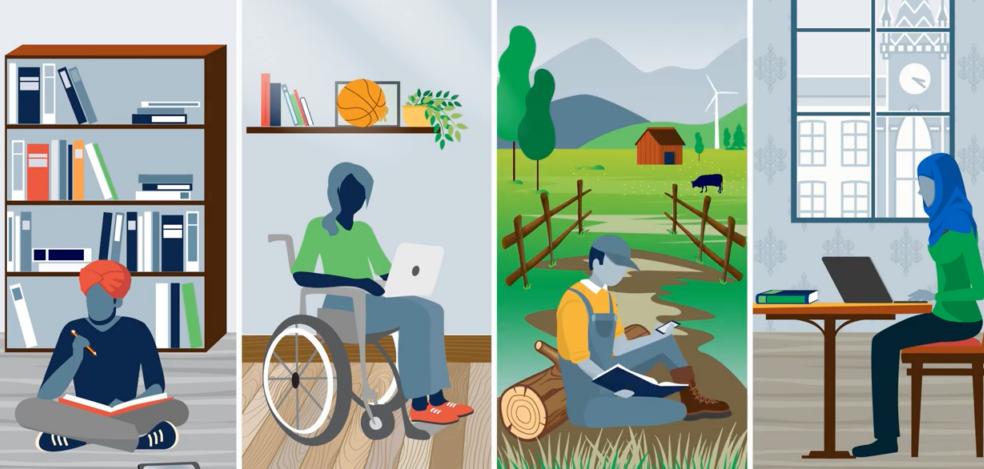
For this week’s reflection, I want to discuss universal design for learning (UDL) in the context of educational technology, especially generative AI. I am already quite familiar with UDL – from my background as an educational assistant, as well as from our PDPP courses thus far (e.g., ED-D 301: Learners and Learning Environments). So, what we’ve been covering is mostly review / consolidation. That is, except for the ways that we can use new tech to UDL-ify our practice. I’ve been loving considering UDL in the context of AI, so, the theme of this reflection is…

Employing AI to reach students of diverse abilities and interests

Photo from https://www.cast.org/resources/course/prek-12-artificial-intelligence-for-udl-self-directed-2025/. CAST (the gold standard of UDL) actually offers mini workshops on how to turn “artificial intelligence into assistive intelligence” (and boy, do I love that slogan!).

I’ve previously mentioned that I am SUPER EXCITED about the potential UDL applications of generative AI. Differentiating lessons and materials can be a huge hurdle, especially for early career teachers. I want to be able to meet every student where they’re at, and provide the optimal challenge that they need to learn and thrive. I think that AI could help.

I thought it would be a fun exercise to take the UDL checklist that was linked in this week’s course materials, and brainstorm/test out ways that generative AI could be used to fulfill it. I also included some prompts you could use as inspiration.

Universal Design for Learning Checklist

Make Expectations (objectives, rubrics, grading) explicit from the start

  • Use AI to rewrite objectives in student-friendly language
  • Example: Ask ChatGPT, Claude, or Gemini, “Rewrite this learning objective in simple grade 3 student-friendly language”

Multiple means of engagement

  • Use AI to personalize activities and texts to student interests
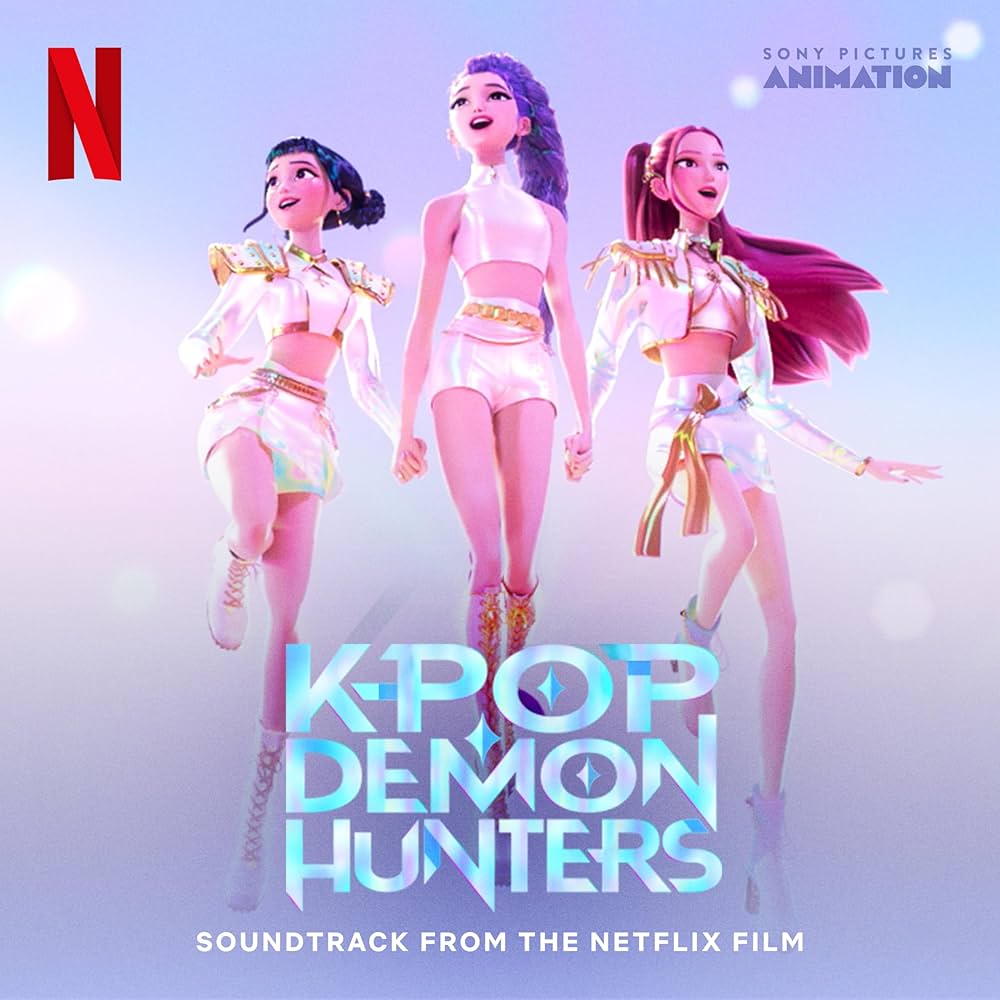
  • Example: “Rewrite these math word problems to feature characters from the popular Netflix original, KPOP Demon Hunters

Multiple means of representation

  • Use AI to create concept maps, analogies, and story-style explanations. I recently discovered NapkinAI, which is great at creating visual concept maps (sometimes ChatGPT sucks at this – it still struggles with generating text and images together).
  • Example: “Explain photosynthesis three ways: a story, a diagram description, and a sports analogy.”

Include alternatives to the text (e.g. website, article, video, audio summary, or lower reading-level text

  • NotebookLM makes great podcasts/audio summaries from written texts. It could be a great resource for kids who struggle to decode or tackle big blocks of words.
  • In my AI Workbook assignment, I tried out using ChatGPT to translate a text into a lower reading level. This is an area where it thrives.
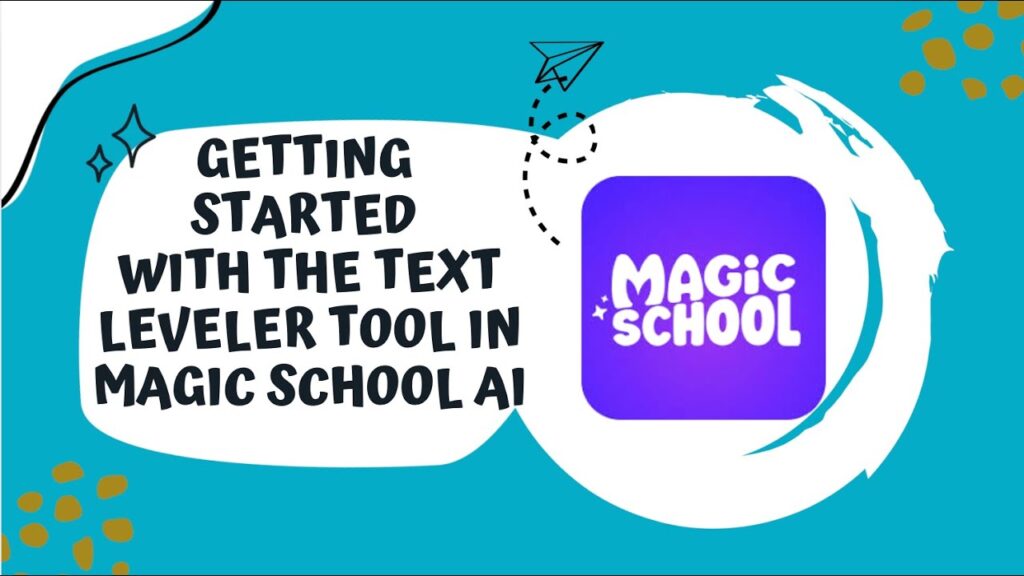
  • MagicSchool also has a text leveller tool.
  • Example: “Rewrite this article at a grade 4 reading level and include key vocabulary definitions.”
How to use MagicSchool text leveller feature: https://youtu.be/nU8QG6eLhvQ?si=gwbu-PzrtN9iAjaA

Include checks for understanding to shape instruction

  • Use AI to create exit tickets, poll questions, and think-pair-share prompts.
  • KahootAI makes great quick quizzes to check student understanding.

Provide access to class notes in various formats (e.g. outline, graphic, study cast)

  • Use AI to convert notes into Cornell notes, graphic organizers, study guides, and flash cards.
  • Tools like Quizlet use generative AI to transform notes from and into many forms!

Thanks for reading!

Reflection #2: Generative AI

After lots of reflection and experimentation this week, I still have mixed feelings about generative artificial intelligence and its role in education.

It’s that easy! GenAI applications for teacher productivity

I think that a huge piece of GenAI’s allure for teachers is its convenience. In our AI workbook activity, I used MagicSchool to create a pretty thorough inquiry-based science unit in minutes. MINUTES! Burnout is a major issue, especially for early-career educators. GenAI could ease the burden on teachers by automating time-consuming tasks. This kind of support could free us up to spend more time and energy supporting students socially and emotionally – something that AI can’t do!

UDL and personalized learning

I’m also excited about GenAI’s potential to assist with Universal Design for Learning (UDL) and personalized learning. I love the idea of using AI to tailor lessons to students of different abilities, learning styles, and interests. One of the greatest challenges of teaching is meeting all students where they are and providing the right level of challenge for each learner. In that sense, AI feels aligned with concepts like Vygotsky’s Zone of Proximal Development. GenAI could help teachers scaffold. I tried this out with Magic School by getting it to simplify a text about biomes to a lower reading level. I think this is a great application of GenAI – using it to simplify text helps to remove an unnecessary barrier for students who have trouble reading.

Critical thinking?

One of my biggest worries is the potential decline in critical thinking and creativity. I often catch myself leaning on AI to complete tasks that I am fully capable of doing on my own. If I, as an adult, am susceptible to this habit, I worry even more about how it might affect students. Since GenAI is so convenient and pervasive, both students and educators could become dependent on it… what might that dependency mean for the development of writing skills, creativity, and critical thinking?

A study out of MIT suggests that using ChatGPT for writing tasks may reduce brain activity, mental engagement, and critical thinking! Paritcipants who relied on ChatGPT also produced less original work compared to those who used a search engine or wrote without assistance. And it appears that these results were not very reversible – people who’d relied on Chat in the past but were no longer using it STILL showed poorer critical thinking skills. There is still ongoing research into this, but it raises concerns about overreliance on AI, especially for students who are still developing as thinkers and readers.

FAKE NEWS?!

I’m also concerned about misinformation. AI has become alarmingly good at generating text, images, and even videos that look just like the real thing (see: creepy Sora videos like the one below). Without strong media literacy skills, students may be particularly vulnerable to believing or spreading false information. This makes explicit instruction around misinformation and AI literacy absolutely essential.

Fake video of a dog spewing water at a nice older gentleman created using Sora (it wasn’t me – I promise!)

What about the environment?

I’m also conflicted about the environmental impact of AI. Large-scale AI systems require a lot of resources (water and energy). I said this already in my AI Workbook assignment, but at times, using AI to create teaching materials feels hypocritical to me. I want to teach my students about the climate crisis and help them build a sense of connection to the land, so I feel uncomfortable knowing that my use of AI is contributing to the problem. This tension is something I haven’t fully reconciled – and I honestly don’t know if I can! For example, I’m feeling guilty about how much water I probably wasted creating a cutesy AI-generated photo of me in Sweden for my Inquiry blog 🙁

Photo from https://news.mit.edu/2025/explained-generative-ai-environmental-impact-0117

Back to pencil and paper?

I work as an EA on call, so I’ve gotten to see a wide range of approaches to AI use in classrooms. Some teachers have responded by going fully analog for certain subjects. For example, an English 8 teacher I worked with restructured her course so that the summative assessment, an essay on The Outsiders, is now handwritten in class rather than taken home. I understand the intention behind this shift – it’s getting hard for teachers to see if students are cheating/plagiarizing with AI. However, I’m not convinced that outright banning GenAI (or designing assignments to make AI use impossible) is the best solution.

AI Literacy

AI is obviously not going away. I want students to learn how to use GenAI properly, safely, and ethically so that they are prepared for the world they are entering. This means teaching responsible use rather than avoidance. Students need to understand what AI is and how it works. We need to be clear that even though interacting with AI may feel like talking to another person, it is not a substitute for human connection. Students should be encouraged to reach out to real people when they need help or support.

My mum is a teacher at Ridgeview Elementary School in West Vancouver and a former colleague of Cari Wilson, who has created excellent AI literacy resources for K–12 students. My mum recently shared one of Cari’s AI lessons with her Grade 4 class, and I’m hoping to get a copy of it from her. I’m also excited to attend Cari Wilson’s professional development session, Student AI Literacy Lessons, through Focused Education Resources in February.

Overall, I’d say that I’m both excited and terrified of the applications of generative AI, in the classroom and beyond.

Week 1: Thoughts on the Open Inquiry Model

Touring the Pacific School of Inquiry & Innovation (PSII) was an enlightening experience. So, I want to centre my first reflection around inquiry-based learning – specifically, the (pretty radical) model that Jeff Hopkins and his colleagues have developed at PSII.

Do we need to reimagine education?

We need to reimagine education. The current model has kids slipping through the cracks. Not everyone’s support needs are met, and gifted students are often not challenged. Once you’ve learned something, it’s done, and we don’t leave a lot of room for deeper exploration, creativity, or extension.

On top of that, the world is changing rapidly, so of course the ways we prepare young people to interact with and make sense of the world must change as well. We are living in a time shaped by rapidly evolving technologies (case and point – AI!), accompanied by a renewed importance of communication and face-to-face skills. Our learners are inheriting unprecedented global challenges, e.g., the climate crisis, political instability, and the lasting impacts of the COVID-19 pandemic.

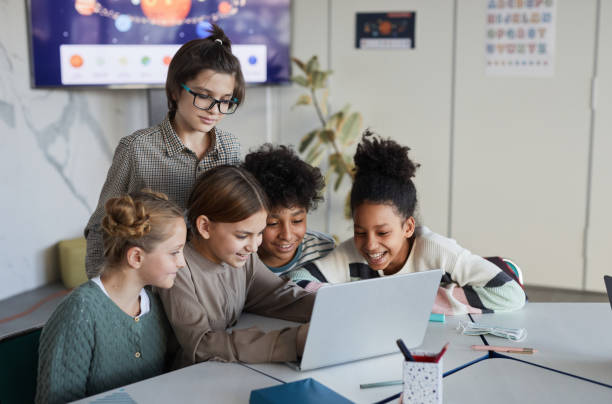
At PSII, we saw groups of students working together on cross-curricular and self-directed projects, using tech like laptops and tablets.

PSII felt a lot like a real-world workspace. Walking through the school had the same vibe as touring this AI startup that some of my peers from high school created… it was cool to see small groups of students chatting and plotting ideas on a whiteboard, others hunched over computers developing code, and still others poring over books in the library. Encouraging project-based learning is obviously a great way to prepare kids for how work gets done in many fields (especially corporate jobs) – I can’t think of anyone who reads a textbook and gets tested on their retention for a career! With the unprecedented access we have to information today via search engines and generative artificial intelligence chatbots, this kind of learning is redundant – you can just look it up if you forget! Instead, we need to give opportunities for students to discover and practice skills that help them tackle projects and problems.

Obstacles to shaking it up

One major obstacle teachers face when trying to reimagine education is interacting with existing systems. What is the use of teaching differently if students are just going to pass into typical lecture- and test-based learning in high school and university?

I feel torn between wanting to do what I think is best for kids – I LOVE the PSII model and want to incorporate as much open inquiry into my teaching as possible – and wanting to equip students for success within the world we’re currently living in.

a summary of my thoughts on adopting a full-on open inquiry model

We need to recognize the greater forces at play – unfortunately, students still need to do well on tests to get into universities, and need high GPAs for grad school, internships, and jobs. We are operating within a competitive, capitalist, individualistic society, where grades still have consequences. I think all the time about how I got offered a scholarship to UVic essentially just based on my high school average (arguably the least interesting part of my high school experience). Of course, I want my students to find success in the world we’re in.

A challenge of shaking up education is that other systems are slow to shake alongside you. Other teachers at your school, or schools in your district, might be hesitant to adopt changes, and then your students could end up at a disadvantage.

That being said, things are definitely moving in right direction. For example, universities like UBC are including a personal profile in their application – this would be a great place for students to showcase their discoveries and growth through the inquiry projects they engaged in throughout their time at school.

I think we need systemic change at all levels of the education system – unfortunately, the ability of a single teacher to shake up how we educate the next generation is limited. But, if we work together, we can get there – Jeff’s work at PSII and with teachers around the world is a success story!

Concerns and excitement

One concern I have about an inquiry-based approach is whether students might miss key foundational skills. How does inquiry-based learning work when helping young students develop literacy skills? What about math?

I also wonder if, when learning is so self-directed, students might only study what they are already interested in (or in other words, comfortable with) and not push themselves to try things they might actually end up enjoying or being good at. I would like to learn more about how teachers in inquiry schools balance student vs autonomy and making sure all students are challenged (think Vygotsky’s zone of proximal development).

At the same time, I am really excited about the freedom, and choice this model offers. The student buy-in at PSII was amazing. Students seemed more accountable for their learning when they got to direct it. It also felt much more like the real world. Learning was active, collaborative, and meaningful, rather than passive and performative. I have a little bit of experience with inquiry as a student… my Grade 5, 6, and 7 teachers were huge proponents of inquiry-based learning and I LOVED it – especially because it gave young me a chance to explore my specific interests. I found a couple of my old inquiry projects and you can peruse them if you’re curious to see what inquiry in a 2010s classroom looked like 🙂

I’m excited to learn more about inquiry and bring it into my own classroom soon! That’s it for now!

Welcome and Introduction

Before proceeding with this first blog post, we expect you to consider your privacy preferences carefully and that you have considered the following options:

  1. Do you want to be online vs. offline?
  2. Do you want to use your name (or part thereof) vs. a pseudonym (e.g., West Coast Teacher)?
  3. Do you want to have your blog public vs. private? (Note, you can set individual blog posts private or password protected or have an entire blog set to private)
  4. Have you considered whether you are posting within or outside of Canada? This blog on opened.ca is hosted within Canada. That said, any public blog posts can have its content aggregated/curated onto social networks outside of Canada.

First tasks you might explore with your new blog:

  • Go into its admin panel found by adding /wp-admin at the end of your blog’s URL
  • Add new category or tags to organize your blog posts – found under “Posts” (but do not remove the pre-existing “EdTech” category or sub-categories, Free Inquiry and EdTech Inquiry). We have also pre-loaded the Teacher Education competencies as categories should you wish to use them to document your learning. If you would like to add more course categories, please do so (e.g., add EDCI 306A with no space for Music Ed, etc.)
  • See if your blog posts are appearing on the course website (you must have the course categories assigned to a post first and have provided your instructor with your blog URL)
  • Add pages
  • Embed images or set featured images and embed video in blog posts and pages (can be your own media or that found on the internet, but consider free or creative commons licensed works)
  • Under Appearance,
    • Select your preferred website theme and customize to your preferences (New title, etc.)
    • Customize menus & navigation
    • Use widgets to customize blog content and features
  • Delete this starter post (or switch it to draft status if you want to keep for reference)

Do consider creating categories for each course that you take should you wish to document your learning (or from professional learning activities outside of formal courses). Keep note, however, that you may wish to use the course topic as the category as opposed to the course number as those outside of your program would not be familiar with the number (e.g., we use “EdTech” instead of “edci336).

Lastly, as always, be aware of the FIPPA as it relates to privacy and share only those names/images that you have consent to use or are otherwise public figures. When in doubt, ask us.

Please also review the resources from our course website for getting started with blogging:

© 2026 Learning with Macy

Theme by Anders NorenUp ↑